Visual Novel Maker
Visual Novel Maker is a no-code software to create Visual Novels.
Because it's from the same company that made RPG Maker, they share some elements. For more information, see https://www.rpgmakerweb.com/products/visual-novel-maker.
Games made with Visual Novel Maker
How it works
Visual Novel Maker uses a toolbox system that lets you drag & drop typical VN actions, e.g., dialog messages, background images, effects, etc, into a scene. Interactive elements and simple logic is also covered, e.g., creating variables, switches and conditions. UIs are customizable.
Actions that are not covered by the default toolbox, can be implemented using java scripts.
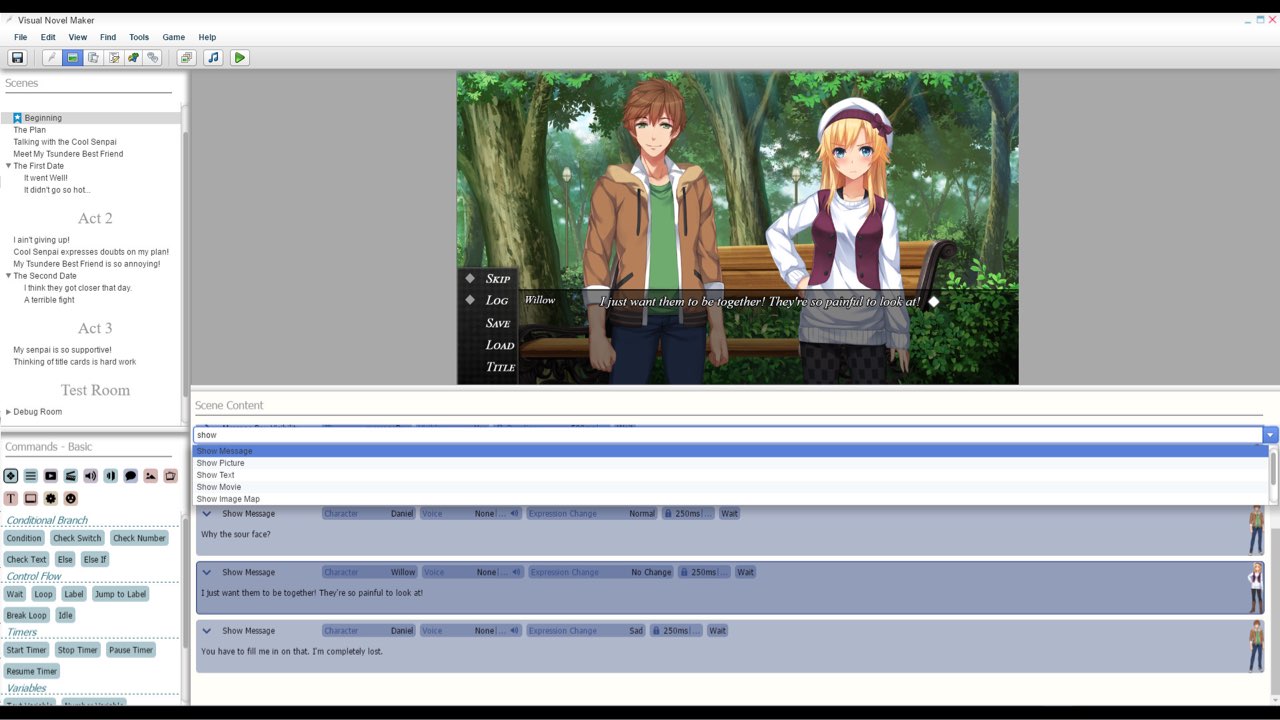
While Visual Novel Maker is a very powerful tool, the learnign curve is a bit steep, especially compared to TyranoBuilder.
Tutorials
Text Codes
| Text Code | Function |
|---|---|
| Displays the Character Name. | |
| Displays the text based on the Color code specified. | |
| Plays a Sound effect during message. | |
| Changes text size. | |
| Applies Italic style to text. | |
| Applies Bold style to text. | |
| Applies small-caps to text. | |
| Applies underline style to text | |
| Applies strike-through style to text | |
| Erase all styles applied in the message. | |
| Displays the value of Global Number Variable. | |
| Displays the value of Global Text Variable. | |
| Displays the value of Global Switch. | |
| Displays the value of Global List. For example, {GL:1,0} <- Global List Variable 1, Element at Index 0. |
|
| Displays the value of Local Number Variable. | |
| Displays the value of Local Text Variable. | |
| Displays the value of Local Switch. | |
| Displays the value of Local List. For example, {LL:1,0} <- Local List Variable 1, Element at Index 0. |
|
| Displays the value of Persistent Number Variable. | |
| Displays the value of Persistent Text Variable. | |
| Displays the value of Persistent Switch. | |
| Displays the value of Persistent List. For example, {PL:1,0} <- Persistent List Variable 1, Element at Index 0. |
|
| Adjust the message speed based on the value set. By default, you can put the following values: 0 - Slowest 1 - Slow 2 - Normal 3 - Fast 4 - Fastest 5 - Instant |
|
| Wait for a few milliseconds before the rest of the message continues. | |
| Wait at End YES. | |
| Wait at End NO. | |
| Wait for input like a key or button press. | |
| Displays a text immediately. Y = Draw Immediately, N = Stop Draw Immediately. |
|
| Display an animation inside the message box. | |
| Displays the text as a clickable link and calls the common event at the specified index. | |
| Ends clickable link formatting. | |
| Change the expression of the character based on the Show Message's set character. | |
| Executes the user defined command in Text Macro. | |
| Displays a ruby-text. The "rb" value is the ruby-base text. The "rt" is the ruby-text placed above the ruby-base text. The "id" is optional and specifies the index of the style to use for the ruby-text. By default, the style "rubyText" defined in script "Style_Default" is used. If the id is set to a value, that value is added as a suffix to the style-name like "rubyText-2" if the id is 2. |
|
| Displays the text as a styleable clickable link and calls the common event at the specified index. Unlink LK, it allows you to apply a custom style to the link defined in a script. The id is optional and specifies the index of the style to use. By default, the style "hyperlink" defined in script "Style_Default" is used. If the id is set to a value, that value is added as suffix to the style-name like "hyperlink-2" if the id is 2. However, a styleable link costs more performance than a regular link. Also, it is not possible to add any other style text-codes to a styleable link since the style comes from a style-definition in script. |
|
| Ends styleable link formatting. |