Twine
Twine is an open-source tool to create Interactive Fiction (Text Adventures).
Note
Twine can also be used to create Visual Novels, but this requires coding, see https://twinery.org/forum/discussion/2153/vn-style-twine-game.
Games made with Twine
How it works
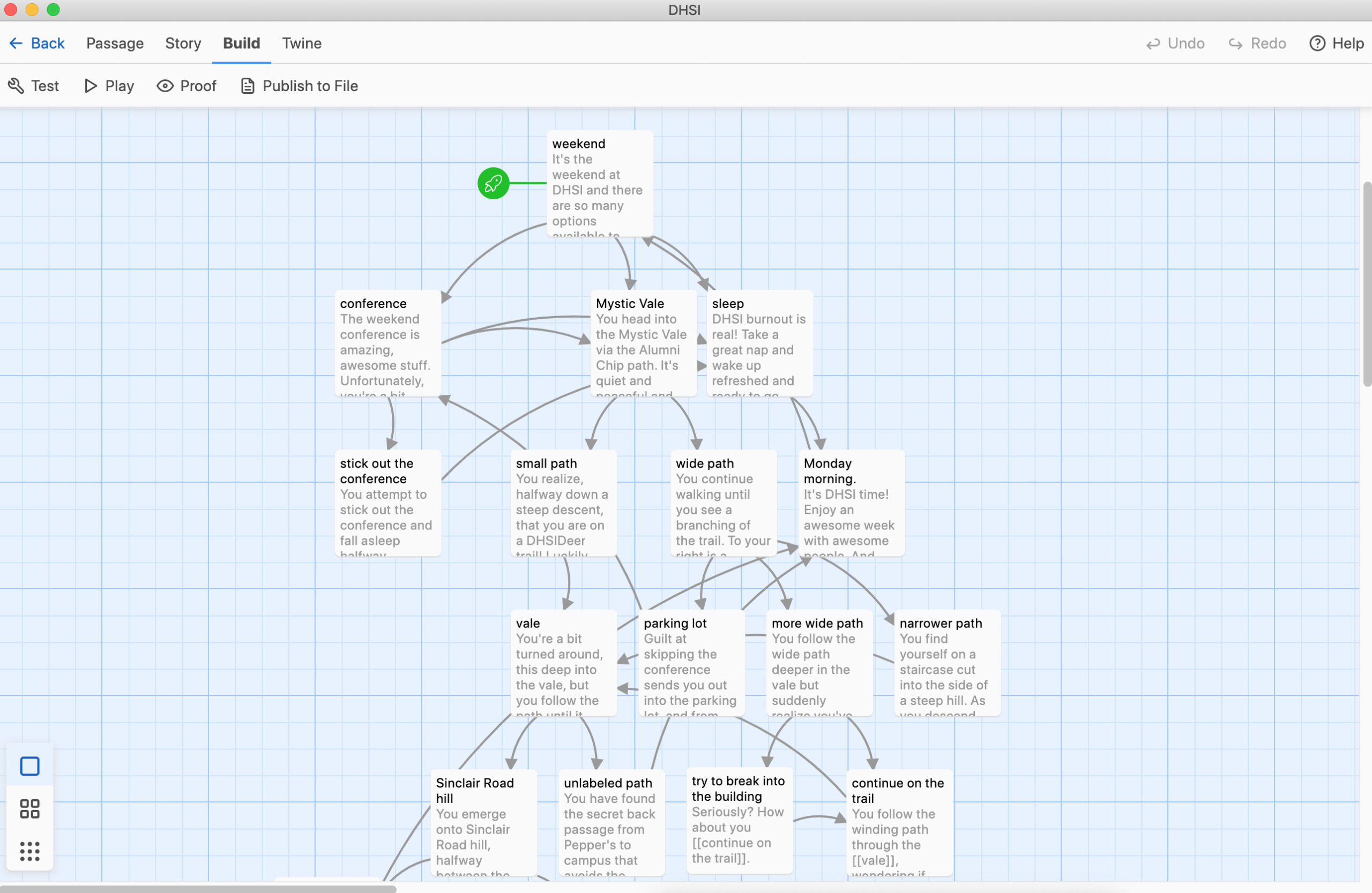
Add text elements and link them together to progress the story in one or more directions. Aside from linking texts, variables and conditions are supported.
Additionally, custom javascripts, HTML and CSS can be used for additional functionality.
Note
The Twine editor uses markdown for formatting.
There are multiple story formats in Twine 2 for different purposes.
- Harlowe is the default story format, and is focused on making it easy to add basic interaction to your stories in a readable, concise way.
- Snowman is designed to be used by people who are familiar with writing JavaScript and CSS, two broadly-used Web technologies, and makes it easy to build a heavily-customized reading experience.
- SugarCube comes from the world of Twine 1. It gives readers the ability to save their progress into separate slots and provides a large collection of functionality for authors.
- Chapbook the first of a "second-generation" story formats, it is designed for newer users with advanced functionality built into its inserts and modifiers.
How to add media
To add media, it has to be online already somewhere, then just cut-paste in:
<img src=”the URL of your image” width=”500″ height=”300″ alt=”this is where you put alternative text of what’s in the image for people with screen readers“>
<video src=”the URL of your video” width=”640″ height=”480″></video>
<audio src=”the URL of your sound effect” autoplay>
Tutorials
- Beginner Tutorial: https://twinery.org/cookbook/starting/twine2/firststory.html
- Twine Reference: https://twinery.org/reference/en/