GB-Studio
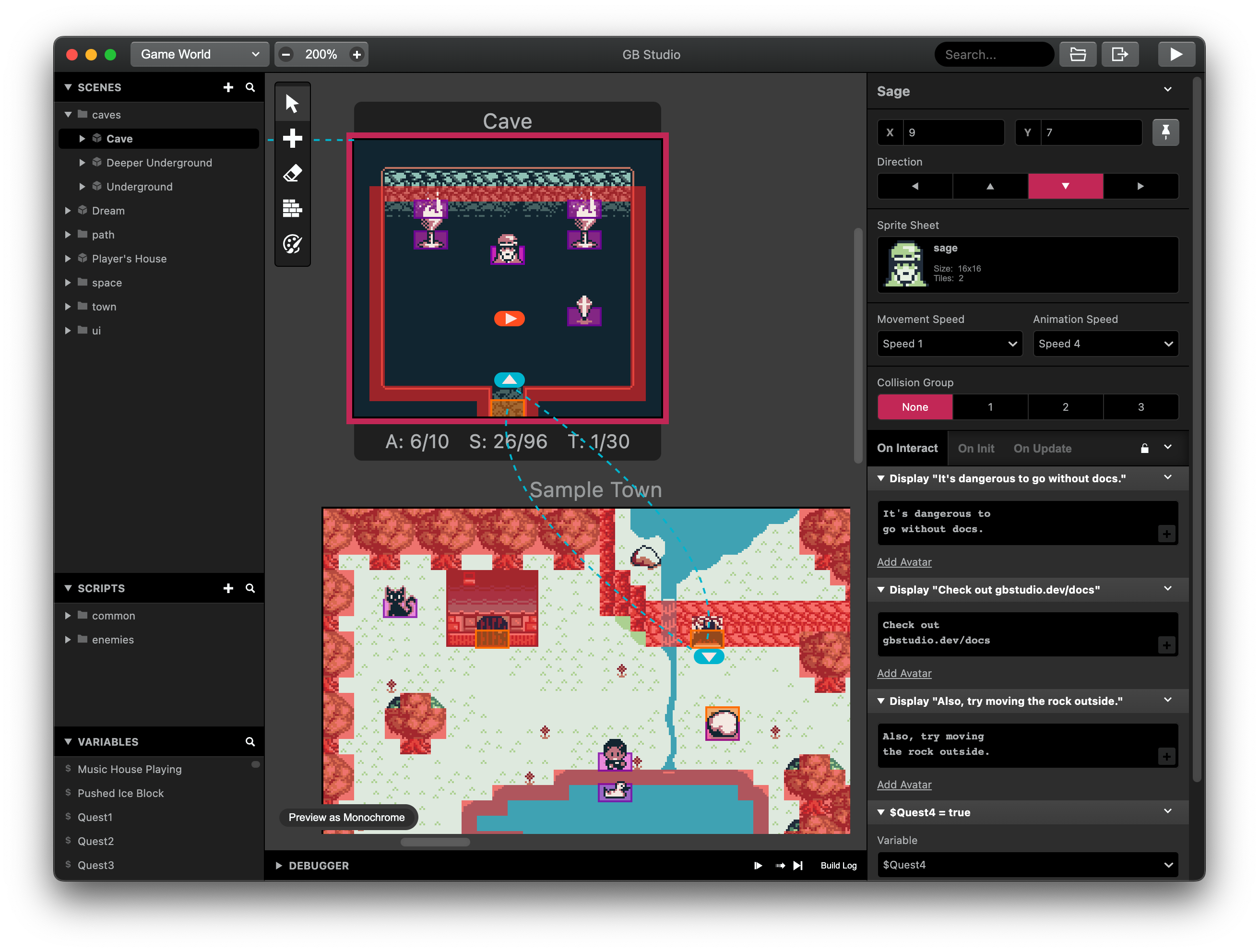
GB Studio is a drag and drop game creator for making Game Boy games.
You can generate ROM files that can be run in an emulator, on a web page or on real Game Boy hardware.
Games made with GB Studio
How it works
GB Studio requires little to no previous programming knowledge.
It uses simple visual scripting, while also providing options for advanced users to access the game engine's virtual machine (GBVM) and to directly modify game engine's C and SM83 assembly code through plugins.
Cheat Sheet
A handy dandy guide for certain numbers relevant to GB studio development!
-
8x8 = The size of a background tile
-
8x16 = The size of a sprite tile
-
16x16 = Two sprite tiles, a metasprite.
-
32x32 = Eight sprite tiles, a metasprite.
-
80x64 = Thirty six tiles combined, the largest connected metasprite possible.
-
3 = Colours can be used for sprites (1 transparent).
-
4 = Colours can be used for backgrounds and UI.
-
5 = Projectiles per scene.
-
10 = Sprite tiles can be loaded in one row (scanline) before dropping out.
-
10 = Active actors can be on screen at once.
-
16 = GBC Palettes total, 8 for background and 8 for sprites. Each palette can hold 4 colours.
-
20 = Active actors over a larger scene.
-
40 = Maximum amount of 8x16 sprite tiles on screen at once
-
52 = Maximum amount of text characters for DMG (original Gameboy) before getting overwritten.
-
96 = Max amount of sprite tiles in a scene total.
-
116 = Maximum amount of text characters for GBC before getting overwritten.
-
768 = Max number of variables
-
32767 = Max variable value
-
-32768 = Min variable value
-
128 = Max Background Tiles in a scene to be able to have 96 sprite tiles available.
-
192 = Max Background Tiles in a scene and still be able to use dialog/text. 64 sprite tiles available.
-
256 = Max Background Tiles in a scene that isn't logo mode. 64 sprite tiles available.
-
360 = Amount of tiles that make up a 160x144 resolution. All tiles can be unique in logo mode. 12 sprite tiles available.
-
160 x 144 = The base resolution for the Gameboy and smallest size for a scene.
-
512 x 2040 = Maximum size for a scene height wise.
-
1016x1024 = Maximum size for a scene equalish size.
-
2040 x 512 = Maximum size for a scene length wise.
-
#071821 - Darkest tone for sprites and backgrounds
-
#306850 - Mid dark tone for backgrounds only.
-
#86c06c - Mid light tone for sprites and backgrounds.
-
#e0f8cf - Lightest tone for sprites and backgrounds
-
#65ff00 - Transparency for sprites.
Tutorials
- Documentation: Getting Started
- Unlock Your Inner Game Designer: GB Studio Beginner's Guide
- GB Studio Tutorials
Resources
Community Assets:
Tiles: